Task Queue
Botmarley uses a background task queue to handle long-running operations without blocking the web interface. The Tasks page (/tasks) lets you monitor these background jobs.
How It Works
sequenceDiagram
    participant U as User / Scheduler
    participant Q as Task Queue (PostgreSQL)
    participant W as Task Worker
    participant E as Executor

    U->>Q: Enqueue task
    W->>Q: Poll for pending tasks
    Q->>W: Return next task
    W->>E: Execute task
    E->>Q: Update status (completed/failed)
- Enqueue — user actions or scheduled jobs create tasks in the PostgreSQL queue
- Worker — a background worker polls for pending tasks
- Execute — the task executor runs the appropriate handler
- Complete — status is updated to
completedorfailed
Task Types
| Type | Description | Triggered By |
|---|---|---|
HistorySync | Download candle data from Kraken | User (Data page) |
Backtest | Run strategy against historical data | User (Backtest page) |
BulkBacktest | Run multiple backtests | User (Bulk backtest) |
PortfolioSync | Sync account balances and prices | Scheduler (hourly) or User |
IndicatorCalc | Calculate indicators on a dataset | User (Data page) |
Task Statuses
| Status | Meaning |
|---|---|
| Pending | Waiting in queue |
| Running | Currently being executed |
| Completed | Finished successfully |
| Failed | Encountered an error |
Task Priority
Tasks have priority levels that determine execution order:
| Priority | Used For |
|---|---|
| High | User-initiated actions (backtests, data downloads) |
| Normal | Scheduled background jobs |
| Low | Maintenance tasks |
Higher-priority tasks are picked up first by the worker.
Viewing Tasks
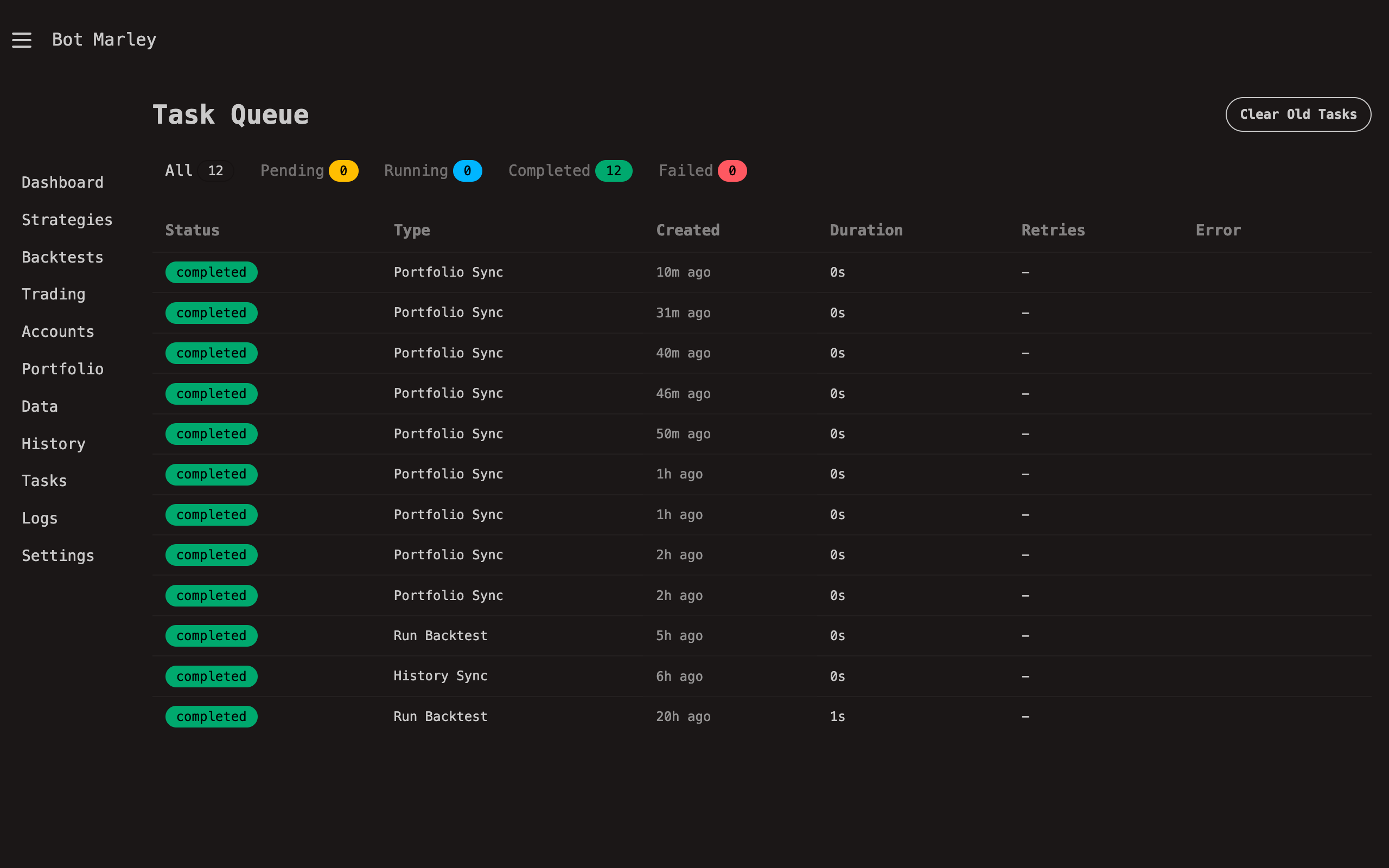
The Tasks page shows:
- Active tasks — currently running jobs with progress indicators
- Pending tasks — jobs waiting in the queue
- Recent completed — last finished tasks with results
- Failed tasks — jobs that encountered errors, with error details
Task Recovery
If the server crashes or restarts, stale tasks (stuck in "Running" status) are automatically recovered on startup. Tasks that have been running for more than 1 hour are reset to "Pending" so the worker can retry them.
If a task is stuck, restarting the server will automatically recover it. You can also check the Activity Logs for error details.
Retry Behavior
Failed tasks are retried automatically based on their max_retries setting (typically 3 attempts). Each retry includes an exponential backoff delay.